DIY malware removal vs professional: decide
The DIY malware removal vs professional choice shows up as soon as you spot an infection. Your site has been hacked, you've found a dozen free guides online promising you can clean the infection yourself in an hour, and you're weighing whether to try it before spending money on a professional service. That's a perfectly reasonable question, in certain situations, cleaning it yourself is entirely feasible and justified. In others, trying to solve the problem on your own can extend the site's downtime, lead to permanent data loss, or leave a hidden infection that returns within a few weeks.
This guide compares both options objectively, without scare tactics and without automatically pushing you toward the more expensive option, the goal is to give you a clear picture before you decide.
When DIY Cleanup Makes Sense.
There are situations where a DIY approach is a reasonable choice, especially if you have at least basic technical knowledge.
A Small, Static Site With No Sensitive Data.
If it's a simple brochure site with no user database, no online payments, and not much content, the risk of a wrong move is smaller. Even if the cleanup doesn't fully succeed, the consequences are limited.
You Have Experience With WordPress Files and the Database.
If you've worked with FTP access and phpMyAdmin before, and understand the basic structure of WordPress files, you have a realistic chance of identifying and removing the infection yourself, especially for a simpler type of malware.
The Infection Is Clearly Visible and Localized.
If you immediately spotted the exact location of the infection, for example, one suspicious file added recently, or one plugin you know was outdated, cleanup can be relatively straightforward.
You Have a Recent, Reliable Backup.
If you have a backup from a few days ago that you're confident is clean, restoring to that backup and then updating everything is a legitimate, relatively safe approach, even if you're not entirely sure what caused the infection.
When DIY Cleanup Is Risky.
There are situations where attempting to solve the problem yourself carries a real risk of making things worse.
A WooCommerce Store With Active Orders.
Every hour of downtime directly means lost orders and, potentially, frustrated customers who abandon their purchase. If you're not sure how long it will take you to solve the problem yourself, the time you spend experimenting is time your store isn't operating.
The Infection Has Already Come Back Once or More.
If you've already tried cleaning the site and the infection returned, that's a clear sign there's a hidden backdoor or deeply embedded code you didn't find the first time. Repeating the same approach rarely produces a different result.
You Can't Find the Source of the Infection After Several Hours of Searching.
If you've spent significant time reviewing files and the database with no clear result, continuing at the same pace rarely leads to a breakthrough. This is a sign the infection is more sophisticated than it looks at first glance, and likely requires tools and experience that an amateur review doesn't have.
Suspected Cryptomining, Cloaking, or SEO Spam Infection.
These types of infections are specifically designed to stay hidden from a standard file review, they require checking server logs, analyzing cloaking code, or reviewing the Google index, which goes well beyond the standard DIY guides that focus on basic file cleanup.
You Don't Have a Reliable Backup, or You're Not Sure the Backup Is Clean.
If you attempt cleanup without a backup as a safety net, any mistake during the process (accidentally deleting the wrong file, corrupting the database) can lead to complete content loss, with no way to recover.
Hidden Risks of the DIY Approach People Often Don't Consider.

Beyond the direct risks listed above, there are a few subtler problems with self-cleaning that free guides rarely mention.
Surface-Level Cleanup That Leaves a Backdoor Behind.
Most free guides focus on removing visible symptoms, suspicious text, redirects, or known files. Very few guides teach readers how to find deeply hidden backdoor files that let an attacker return even after a seemingly "successful" cleanup.
A False Sense of Security.
Once the site looks normal again, it's easy to assume the problem is solved. If the infection wasn't fully removed, this false sense of security means you keep working on the site, adding content, and processing orders while the underlying vulnerability remains wide open.
Time That Doesn't Get Counted Into the Real Cost.
The DIY approach is often compared to a professional service purely on monetary cost, without accounting for your own time. If cleanup takes ten hours of your time that you could have spent working with clients or growing the business, the real cost of the DIY route is higher than it first appears.
What a Professional Service Delivers That DIY Usually Can't.
Professional cleanup is not only faster than DIY. The difference is review depth. You also get confidence the infection is fully gone.
This includes a systematic comparison of every file against clean, original versions of WordPress core and plugins, a database review for injected code that's invisible through the standard admin dashboard, checking server logs to identify the attacker's exact access method, and, just as important, closing the specific vulnerability so the infection doesn't come back.
How to Make the Decision.
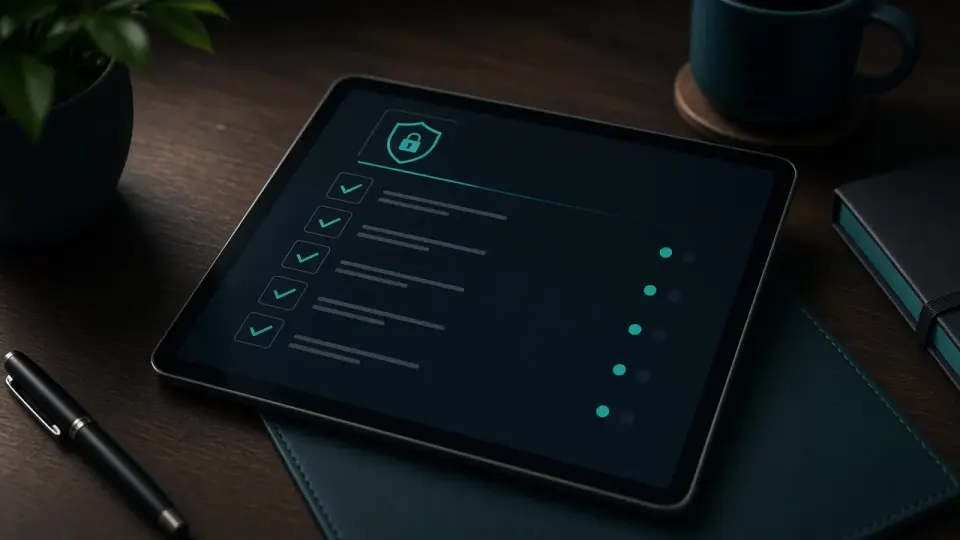
Here is the realistic test. You need technical knowledge. You need time and a reliable backup. The site should be simple without sensitive data. Then DIY malware removal vs professional help can wait. If any of these conditions is missing, especially if it's an active store, a repeat infection, or a suspected more sophisticated attack type, the time and risk you save by hiring a professional almost always outweighs the savings from trying it yourself.
Making the Right Call.
There is no universal answer on cleaning yourself or hiring out, it depends on the type of site, your technical ability, and the severity of the infection. What matters is making that decision based on a realistic assessment of the situation, not on a desire to avoid the cost, because a wrong call often ends up costing more in the end, in time, lost revenue, or a repeat infection.
If DIY malware removal vs professional is unclear for your case, run a free assessment on hakovansajt.com or call 065 402 5000 for a free assessment, you'll get a clear opinion on whether your situation is something you can handle yourself, or whether it needs professional intervention.