
Website slow after hack: cryptomining signs
Your site loads unusually slowly. Your host keeps sending resource overage warnings. Or the server sits at 100% CPU. You have not changed anything. Traffic has not spiked either. If this sounds familiar, cryptomining malware is a top suspect. It does not steal data or serve ads. It quietly burns your server resources to mint crypto for the attacker.
If your website slow after hack symptoms match this pattern, keep reading. This guide explains how the infection works. We cover why it is hard to spot. And how a site returns to normal. It often appears with other signs a site is hacked.
What Cryptomining Malware Is and How It Works on a Hacked Site.

Cryptomining, also known as cryptojacking, is the process of using your server's processing power to solve the mathematical calculations required to generate cryptocurrency, most commonly Monero, a currency particularly popular with attackers because its transactions are harder to trace than Bitcoin's.
Once an attacker manages to inject this type of code onto your WordPress site, it runs a script in the background, often 24 hours a day, consuming the processing power of your hosting account. Unlike classic malware that targets visitors, a cryptomining script works purely in the attacker's favor directly on your server, with no interaction with site visitors at all.
Why This Infection Is So Hard to Notice.

Unlike hacks that change how the site looks or redirect visitors, a cryptomining infection leaves no visual trace. The site continues to look and function normally for visitors, which means owners typically notice the consequences first, slowness and high bills, long before they suspect a hack.
The Symptoms Get Blamed on Something Else.
Site owners naturally think first of "bad hosting," "too many plugins," or "the database needs optimizing" when they notice slowdowns. This often leads to wasted time on optimizations that don't fix the actual problem, while the infection keeps consuming resources.
The Activity Happens in the Background, Out of View.
Cryptomining scripts often run through cron jobs (scheduled tasks) or background PHP processes that don't show up in a standard file review or in the WordPress dashboard.
Signs Pointing to a Cryptomining Infection.
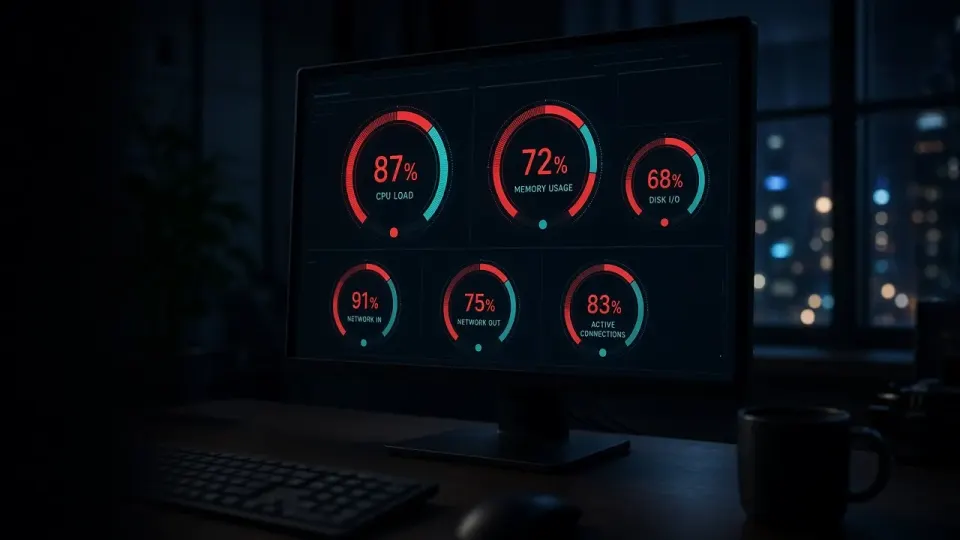
There are several concrete signals you can check to confirm your suspicion.
Constantly High CPU Load With No Explanation.
If your hosting control panel (cPanel, Plesk, or similar) shows CPU load staying consistently high, even during periods when the site has little to no traffic, that's a strong indicator.
Resource Overage Warnings From Your Hosting Provider.
Many hosting providers automatically notify accounts that consistently exceed allowed resource limits. If you're getting these warnings without a clear explanation tied to legitimate traffic, it's worth digging further.
Unexplained Spikes in Resource-Based Hosting Bills.
On hosting plans billed by resource consumption (cloud hosting, VPS), a sudden jump in your monthly bill without a corresponding increase in traffic is a direct financial signal of a problem.
Slow Loading All Throughout the Day.
Unlike typical slowdowns during peak traffic hours, a cryptomining infection usually causes the site to run consistently slow, regardless of time of day or visitor count.
Unknown Processes in the Server's Active Process List.
If you have SSH access to the server, or your hosting technical support can check for you, unfamiliar processes with random names consuming heavy CPU power are direct evidence of infection.
How a Cryptomining Infection Is Removed.

Removing this type of infection requires a careful approach, since these scripts are often hidden in multiple places at once to ensure continuity in case one copy is discovered.
Identifying Every Place the Script Runs From.
This includes checking hosting cron jobs, theme and plugin files for injected code, and the .htaccess file, which sometimes contains instructions that trigger the script on every page load.
Removing Every Instance of the Malicious Code.
Cryptomining scripts are frequently duplicated across multiple locations, theme files, fake plugin folders designed to look legitimate, and temporary directories on the server. Every copy needs to be found and removed, since even one forgotten copy will restart the whole infection.
Reviewing and Cleaning the Database.
Sometimes the instructions to launch the script are stored in WordPress options within the database, from which the script regenerates itself even after the files have been cleaned.
Closing the Entry Point.
As with any other hack, the key is finding exactly how the attacker got in in the first place, most commonly an outdated plugin, theme, or weak password, and closing that vulnerability by updating software and rotating every password.
Monitoring Server Load After Cleanup.
After cleanup, it's worth monitoring CPU load over several days to confirm it has returned to normal and that the infection wasn't just temporarily paused.
Financial Consequences That Are Easy to Miss.

Beyond the direct cost of an inflated hosting bill, cryptomining infections carry hidden costs too. A slow site directly hurts conversions, research consistently shows that every extra second of load time reduces the likelihood a visitor completes a purchase or stays on the site. For WooCommerce stores, this means an ongoing, direct revenue loss every single day the infection persists, one that's far harder to notice than a site going down or a visible browser warning.
When It's Time to Call a Professional.
Finding every instance of a cryptomining script requires access to server log files, knowledge of the common locations where this type of malware hides, and the ability to distinguish legitimate processes from malicious ones on the server. If you've noticed suspiciously high CPU load with no clear explanation and you don't have the ability to access server logs or interpret what you're seeing, this is a case where a professional check is a faster, more reliable path than trying it yourself.
What to Do Right Now.

A site that's slow for no clear reason isn't always a matter of bad hosting or too many plugins, in a growing number of cases, it's a cryptomining infection quietly using your resources for the attacker's benefit. This infection is particularly sneaky because it leaves no visual trace and is easy to blame on the wrong cause, while costs and lost conversions keep piling up every day.
If your website slow after hack symptoms point to cryptomining, run a free analysis on hakovansajt.com or call 065 402 5000 for a check that includes server load analysis, not just a surface-level review of site files.