Hosting account suspended for abuse: first 60 minutes
The email usually arrives without warning and without an introduction. It says abnormal activity was noticed from your account, most often mass mailing, and that the account has been temporarily suspended. The site is already unavailable at that moment, and you have no idea what this is about, because you did not send a single email or do anything unusual.
In short: an abuse suspension usually means a hacked site on your account is sending spam. Fix order: ask the host for logs, find and remove the script and every backup entry, close the vulnerability, then request reactivation with a concrete description of what you did.
If your host suspended account for abuse, that almost always means one thing: someone else is using your server, most often through a hacked site. In this article we explain why the host reacts so sharply, how to find the cause quickly, in what order to fix the problem, and how to talk to the host so your account is restored as soon as possible.

Why the host reacts with suspension, not a warning
Hosts suspend an account for abuse to protect the IP reputation of every other customer on the same server.
The first reaction is often anger at the host. It feels like an excessive penalty, especially if you are not aware you did anything wrong at all. From the host’s perspective, however, it is not excess but necessity.
Shared hosting servers share the same IP address or the same address range for a large number of sites. If one account on that server mass-sends spam, the entire address range can end up on blacklists used by major email providers. That means all other clients on the same server suddenly cannot deliver legitimate mail, even though they did nothing themselves.
Getting an IP address off such a list is a lengthy process that can take weeks. That is why the host has no luxury of waiting and asking. Suspension is the fastest way to stop the source, and that is why it almost always comes before conversation. Once you understand that, it is easier to approach the fix without wasting energy on anger, because the host is actually protecting both you and the other clients.
What the real cause usually is
When your host suspended your account for abuse, someone else is almost always using your server.
Suspension is a consequence, not a cause. To get the account back and keep it active, you need to find what actually triggered the activity you were suspended for. In the vast majority of cases it is one of the following.
A hacked site that sends spam
The most common case. The attacker used some hole to place a script that mass-sends mail from your server. Your server is interesting because it has a clean history, so spam sent from it passes filters better than spam from already reported servers. Your good reputation is what the attacker spends. More on how to recognise and stop it when a website is sending spam emails.

A vulnerable contact form
A poorly written or poorly configured contact form can be abused to send mail to arbitrary addresses, with arbitrary content. This happens even without classic site hacking, simply by abusing the form itself, and often on sites where the form was written by hand without protection.
A compromised account
If someone gained access to your hosting or FTP account through a stolen password, they can place anything, including sending scripts. This often happens when the same password was used in multiple places and leaked on some other service. It is worth knowing that the password does not have to leak from your site to be abused on it. It is enough that you used the same password on some service that was hacked, and that address-and-password combination is then tried automatically on thousands of other places, including your hosting.
Resource overuse without malicious intent
Less often, suspension may not be for spam, but because the site uses far more resources than the plan allows. That can be a poorly written plugin, an attack that overloads the site, or a sudden traffic spike. The abuse email usually says clearly what it is about, so read it carefully.
Another site on the same account
If you keep several sites on the same hosting account, the source of the problem does not have to be the site you checked first. Infection from one site easily spreads to the others when they share the same disk space, and the sending script can sit on any of them. That is why, when you look for the cause, you need to review all sites on the account, not only the main one. This is a common reason why an owner cleans one site and the suspension repeats, because the real source was on another, forgotten site on the same account.
Why your server is interesting to someone
Owners of smaller sites are almost always surprised when they hear their server was abused. The site has little traffic, does not sell anything special: why would anyone use it for sending spam.
The answer is that the attacker does not care about your content but about what your server can do. Spam sent from known, already reported servers goes straight to junk. Spam sent from a domain that for years had not a single report passes filters much better. Your clean history is exactly what the attacker uses and spends, until it is spent. When it is spent, they move on to the next clean server, and you are left with a domain of ruined reputation and a suspended account.
That is why you should not feel specially targeted. Automated scripts pick a server by whether they have access, not by whose it is. But you also should not comfort yourself that it was chance, because the same hole that let the first script through will let the next one through until it is closed.
How to find the source quickly
Time matters here, because every day of suspension means lost visitors and further damage to reputation. Here is the fastest path to the cause.
Ask the host for logs
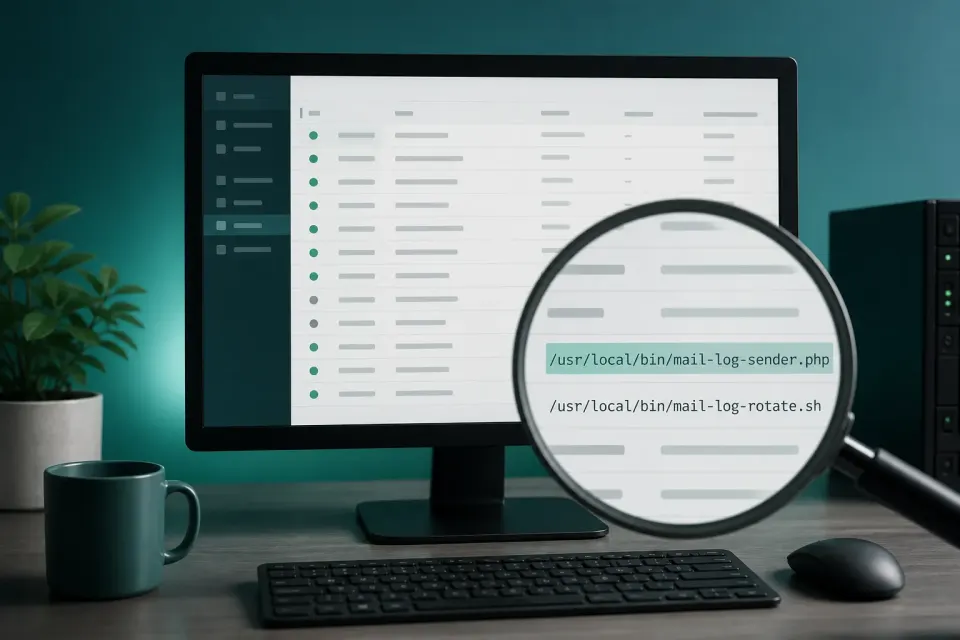
This is the first and most important step. Most hosting companies have mail-sending and access logs, and provide them on request. From them you see the exact time of activity, the volume, and very often the path to the script that caused the problem. That one piece of data saves you hours of blind searching. When you write to the host, ask for those logs immediately.
Check the outbound mail queue
If your hosting panel shows an outbound mail queue, look at it. If you see thousands of emails waiting for delivery to addresses you have never seen, that confirms the server is sending spam, and often also shows from which script.
Review suspicious files
The sending script most often hides as a PHP file in the uploads folder, where executable code should not exist, or as a file among plugins that does not belong there, or in the mu-plugins folder. If you have a path from the logs, go straight there. If you do not, these places are the first to look.
Check the user list
A new administrator account you did not create is a clear sign someone had access. Go through the full user list and pay attention to registration dates.
In what order to fix the problem
A host that suspended an account for abuse will not restore it until the cause is actually gone.
When the host suspended the account for abuse, the order of fixing is a little different from ordinary cleanup, because you also have the extra goal of restoring the account and repairing reputation damage.
Make a copy as soon as you get access
When the host gives you temporary access for cleanup, the first thing is a copy of all files and the database, even infected ones. That is your protection if something goes wrong and a data source for later.
Stop the sending
If the account is suspended, sending is already stopped, which is the only good side of suspension. If you have only partial access and sending is still going on, the first thing is to disable the source, before you even start thorough cleanup.
Remove the source and all backup entries
Remove the sending script, but also everything left as a backup: extra administrator accounts, scheduled tasks that restart sending, backdoor files in unusual places. This part is the easiest to underestimate, and whether you get suspended again in a week depends on it.

Close the entry
Update the core, theme, and all plugins. Remove what you do not use. Change all passwords: for WordPress, the database, hosting, and FTP: because the attacker could probably extract them while inside. If the cause was a vulnerable contact form, replace it with a proven solution that has protection.
Tell the host what you found
This directly speeds up account restoration. Instead of only asking for reactivation, describe what the cause was, what you removed, and what you closed. If you have the logs they gave you themselves, refer to them. The host restores an account much more easily when they see the problem is really solved, not just that you are begging to be let back in.
How to talk to the host
How you communicate with the host significantly affects how quickly you are back online. Several things help.
Be specific, not defensive. Instead of claiming you did nothing, which the host hears every day, say you identified the cause and took steps. A concrete reply builds trust that the problem will not repeat.
Ask for logs immediately, in the first message. That saves you a round of correspondence and shows you are taking the fix seriously.
Ask exactly what the host needs to see before reactivation. Some only want confirmation that the source was removed, some want to check themselves. When you know their condition, you can meet it exactly instead of guessing.
Be patient but persistent. Hosting companies have procedures and processing times. A polite but consistent tone, with concrete information, works better than pressure and anger.
If you are not technically skilled, it is fine to tell the host that, but with a clear intention to solve the problem. Some hosts in that case offer their own cleanup service, which can be fast but also charged, and not always thorough when it comes to closing the entry. It is worth knowing you have the choice to entrust the job to someone who does this for a living, instead of wandering alone or accepting the first offered solution under the pressure of suspension. The decision is yours: just make it soberly, not in panic over a shut-down account.
Damage that goes beyond suspension
When the account is restored, it is easy to think the matter is finished. It is not quite, and it is worth knowing what remains to be repaired.
Domain reputation for mail
This is the most lasting consequence. Major email providers keep reputation scores for every domain, built over months and dropped in hours of mass sending. The result is that your legitimate mail: offers, notifications, confirmations: starts ending up in junk even though the site is clean. Recovery is gradual and requires sending a normal, expected volume of mail for some time.
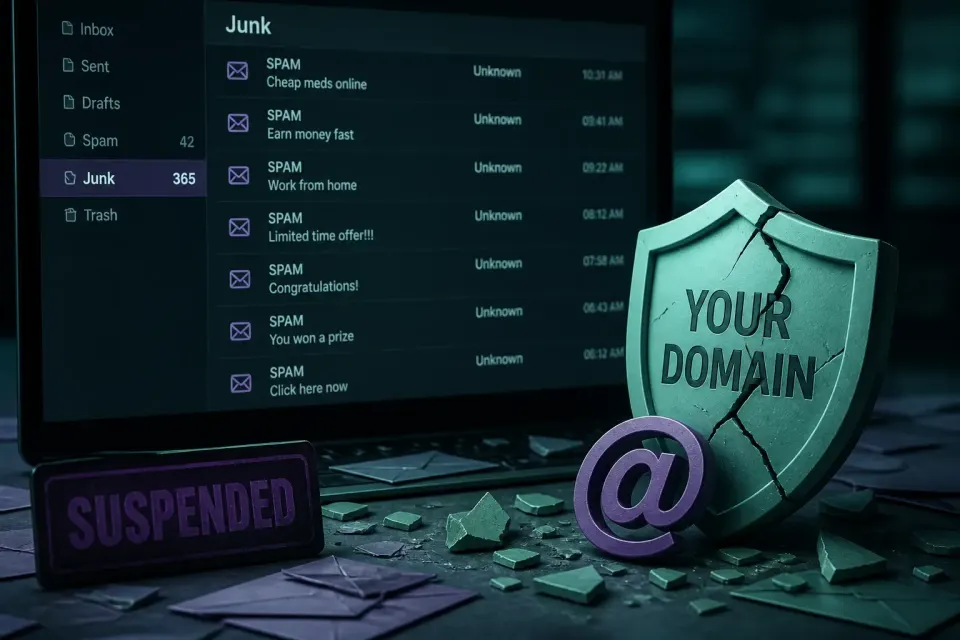
Besides that, it is worth checking whether the domain ended up on mail blacklists, and submitting a removal request for each one it is on. It is also a good opportunity to check that SPF, DKIM, and DMARC records are set correctly, because they make spoofing your address harder in the future and help legitimate mail pass again.
Client trust
If spam from your address went to people in your address book, they received a message that looks like it comes from you. A short and honest notice to clients, explaining what happened and what you did, usually goes much better than silence and hoping nobody noticed.
Data that may have left
If the attacker had enough access to place a script, they also had access to the database. That means your users’ addresses and data. It is worth soberly assessing what was in the database and, if personal data is involved, considering a notification obligation.
Special case: a shop or a site income depends on
If the suspended account holds a shop or a site your income depends on directly, the calculation is different. Every hour of downtime there is not only inconvenience but lost sales and clients who go to competitors.
In that situation speed is worth more than usual, and emergency intervention pays off even at a higher price, because the price difference is usually smaller than the loss for only a few hours. What you should not do here is nervously pressure the host or try shortcuts that can cause another suspension. The fastest path is still a thorough solution, only done with priority.
If you have a shop, it is also worth considering introducing monitoring after the fix, because for a site income depends on, a second suspension is a luxury that is hard to bear. The cost of monitoring is almost always less than one day of a closed shop.
What not to do
Several moves in this situation make things worse, so they are worth avoiding.
Do not change hosts in the first moment. Moving an infected site to a new server only transfers the problem, and the new host will suspend you the same way as soon as they notice the same activity. Clean first, then think about moving if it is needed at all.
Do not ask for reactivation before you have really solved the problem. If the host restores you and spam continues, the second suspension is usually stricter and harder to lift. Better to take an extra day for thorough cleanup than to be suspended twice.
Do not restore an old backup blindly. If you do not know when the infection started, you are probably restoring an already infected site. Establish the timeline first.
How to prevent it from happening again
To make sure the host does not suspend the account for abuse a second time, the entry point has to be closed.
An account that was once suspended for abuse has a higher chance of ending up in the same situation again if the cause is not thoroughly fixed. Several things make the biggest difference.
Regular updates close most entry points, because most attacks target known, already patched vulnerabilities. Blocking execution of PHP files in the uploads folder at the server level disables an entire class of sending scripts, even if a file somehow gets there. A proven contact-form plugin, instead of a hand-written one, closes a common abuse vector.

Most important is that monitoring is regular and automatic. A spam campaign often runs in bursts, with pauses, and easily goes unnoticed between two manual checks until the host notices it and suspends the account. A system that daily compares the state of files and the database with the previous one notices a new script before it sends a thousand emails and before the host reacts.
It is worth understanding the difference between those two situations in practice. Without monitoring, the first sign of a problem is account suspension: that is, the moment when damage is already done, reputation already hurt, and the site already offline. With monitoring, the first sign is a quiet notice that a new, unexpected script appeared, days before it would have caused a suspension. The difference between those two points in time is the difference between a small intervention and this whole scenario with a shut-down account, correspondence with the host, and reputation recovery. That is why monitoring is not an extra cost but a substitute for a much larger cost that comes when you do not have it.
How long it takes for the account to return
How quickly a suspended account comes back depends on two things.
This is the question that troubles people most, because while the account is suspended the site does not work and business stops. The honest answer is that it depends on two things: how quickly you find and remove the cause, and how quickly the host processes your reactivation request.
The first part is under your control. If you quickly find the source, remove it together with backup entries, and close the hole, you are ready for reactivation the same day. If you wander without logs and do not know where to look, that part drags on.
The second part depends on the host. Some reactivate within hours when they see the problem is solved, some have procedures that take a day or two. How you communicate: with a concrete description of what you did: directly affects speed, because it shortens rounds of correspondence in which the host asks for more information.
The practical conclusion is that the fastest way back is to fix the cause thoroughly the first time and give the host everything they need in the first message. Speed at the expense of thoroughness does not pay off here, because a second suspension for the same problem lasts longer and is harder to lift.
A first step you can take right away
If you suspect the cause of suspension is a hacked site, or you simply want to check the state, a free quick scan reviews the publicly available content of the site and looks for known malware patterns and suspicious elements. No account, no installation, usually under a minute.
It is worth being clear about its limit, because with this problem it matters. That check sees only publicly available content. A mail-sending script that sits in a file on the server and waits for a call is not publicly visible, so a remote check will not find it. For a reliable answer in a case like this, a review of files and the database on the site itself is needed.
If the account is already suspended and you need a fast solution, contact us right away. Send the site address and the email you received from the host, because that email often contains useful data about the cause. Urgent cases go ahead of regular requests, because with a suspended account every day means both lost visitors and further damage to domain reputation, which is harder to repair than the infection itself.